Pages

Showing posts with label Installations. Show all posts

Friday, April 20, 2012

Installing Eclipse J2EE Indigo SR2 in Ubuntu 11.10

In this section we will see how to install Eclipse J2EE Indigo .

Installing eclipse
  1. Install .gz file from eclipse web site
  2. I will copy the .gz file to ~/softwares
  3. Unpack the .gz file
    tar -zxf eclipse-jee-indigo-SR2-linux-gtk.tar.gz
    

  4. You will have a new directory "eclipse"
  5. Create desktop shortcut by right clicking eclipse -> Copy To -> Desktop
  6. Launch eclipse from desktop

Installing Apache Maven 3.0.4 in Ubuntu 11.10

Installing Apache Maven 3.0.4

  1. mkdir ~/softwares
  2. cd ~/softwares
  3. Get the latest release from Apache web site using the command
    wget http://mirrors.sonic.net/apache/maven/binaries/apache-maven-3.0.4-bin.tar.gz
  4. Unpack the .gz file using command
    tar -zxf apache-maven-3.0.4-bin.tar.gz
  5. Create a link to this called apache-maven as that makes easy to update new releases. Use the command below for this
    ln -s apache-maven-3.0.4/ apache-maven
  6. Set the environment variable, open /etc/environment file
    sudo vi /etc/environment
  7. Append the following to the file
    PATH="/usr/local/sbin:/usr/local/bin:/usr/sbin:/usr/bin:/sbin:/bin:/usr/games:/home/manohar/softwares/apache-maven/bin"
    JAVA_HOME=/usr/lib/jvm/java-6-sun-1.6.0.06
    M2_HOME=/home/manohar/softwares/apache-maven
    MAVEN_HOME=/home/manohar/softwares/apache-maven
    M2_HOME=/home/manohar/softwares/apache-maven
  8. Log out and login again to see the effect.
  9. Test maven installation using the command
    mvn -version

Installing Apache ANT 1.8.2 in Ubuntu 11.10

Installing Apache ANT is quite straight forward. Follow the below steps.

  1. Open terminal and type ant command. This is just to verify if ant is installed or not.
  2. sudo apt-get -u install ant

  3. Ant version test ( ant -v )

    Thursday, April 19, 2012

    Installing MySQL Server 5.1 and MySQL Workbench 5.2.39 in Ubuntu 11.10

    Here we will see how to install MySQL server and MySQL workbench in Ubuntu 11.10. I will install MySQL server 5.1 as part of this tutorial.

    So here we go....

    Install MySQL Server 5.1
    1. Check for existing mysql installations.
    2. sudo apt-get install mysql-server


      Enter root password and click OK.

      Retype root password and click OK.
    3. By now MySQL should be running. Test it using the command
      sudo netstat -tap | grep mysql
    4. In case mysql is not started, you can restart it using below command
      sudo service mysql restart

    Install MySQL Workbench 5.2.39

    You can install workbench in 2 ways. One is by using sudo apt-get and other is by downloading .DEB file from mysql.com, here is the link. In the above step we have seen installing using sudo apt-get, lets try using GUI installer this time.

    GUI installation using .DEB file

    1. Download the .deb file from mysql site.


    2. Double click the .deb file to launch installer

    3. Click Install

    4. Installation complete
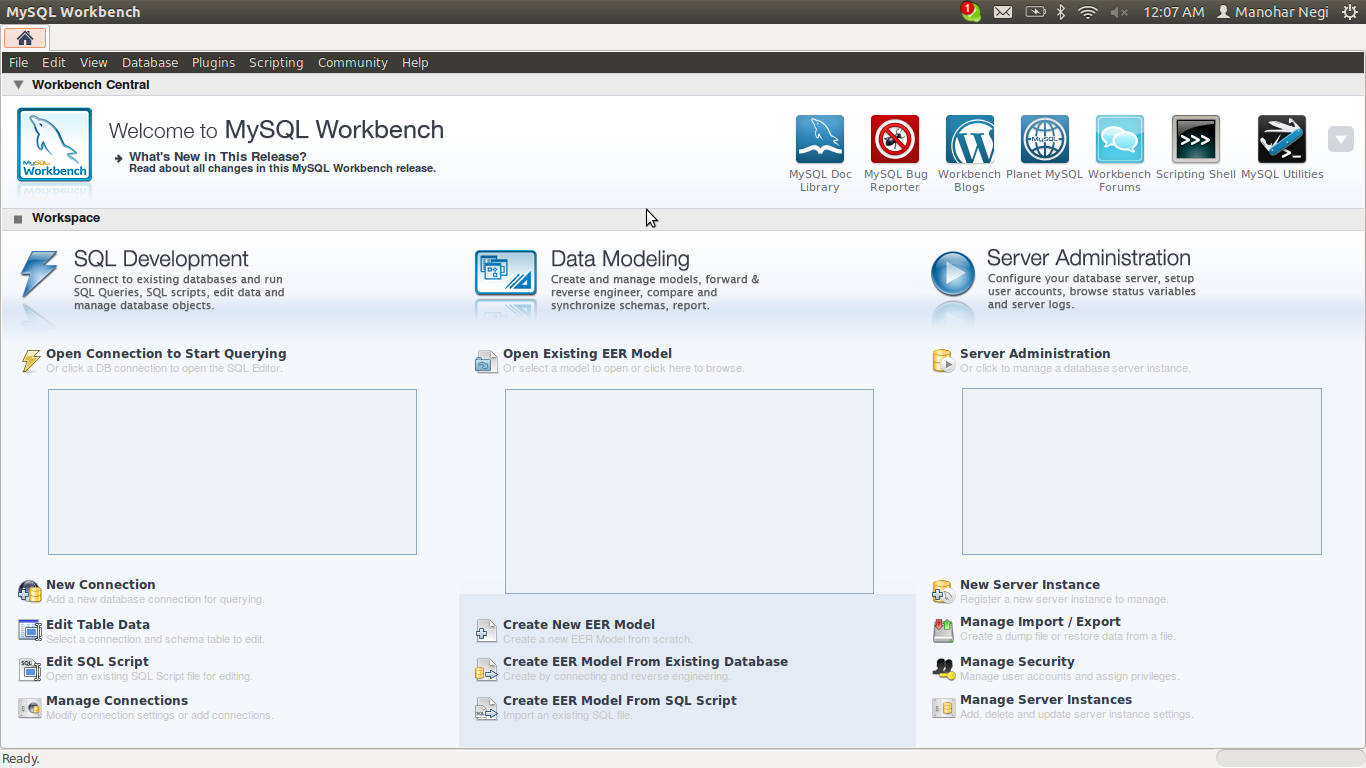
    5. Test it once


    For those who are interested in sudo apt-get, use the below commands
    1. sudo add-apt-repository ppa:olivier-berten/misc
    2. sudo apt-get update
    3. sudo apt-get install mysql-workbench-gpl

    Read more on Ubuntu site about installing MySQL Server and MySQL Workbench.

    Installing Oracle/Sun Java in Ubuntu 11.10

    Mostly Linux systems comes with Open JDK. In order to install Sun/Oracle Java, follow the steps below. Please note! you will need sudo access for this. In this section I will install Sun/Oracle Java version 1.6.0_06.

    1. Test for Java version installed. Use command java -version.
    2. sudo add-apt-repository "deb http://us.archive.ubuntu.com/ubuntu/ hardy multiverse"

    3. sudo apt-get update
    4. sudo apt-get install sun-java6-jdk


      Select Ok

      Select Yes
    5. java -version (check the java version installed)
    6. javac -version (check the javac version installed)

    In case java is not showing Sun/Oracle JDK as default. You can use below command to set the default version of Java.

    • sudo update-alternatives --config java

    Installing and Setting Up Git in Ubuntu 11.10

    With the new job I got to do so many new things and one of them was Git. Git is a distributed version control system. To know more about Git you can follow these links on wikipedia, git's web site and github. In this section I will use Git version 1.7.5.4.

    Prior to Git I have worked on many version control systems such as CVS, SVN, Clear Case and MKS. Git, not gives a way to manage your repositories but you can also become social coder. Its social network on github.com makes it different and more interesting. Here we will see how to install git and configure it.

    What you will need
    1. Git software including git-core*, git-gui
    2. Account in github.com. You can signup for free account in github.com
    Install git
    1. Before installing check if git is already installed, open terminal and execute git command. You will see whether git is installed or not.
    2. Open Ubuntu Software Center, search git-core and install it.
    3. As shown in step 2, install git-gui from software center.
    4. Verify Git installation (git-gui).
    5. Open terminal and execute git command. You can check the version also as shown below using the command

    Setup git
    Now, I will setup github account.
    1. Open terminal, execute the command
      git --version
      
    2. Execute this command to generate SSH key
      ssh-keygen -t rsa -C "manohar.negi@komli.com" 
      
    3. Copy the contents of /.ssh/id_rsa.pub file
    4. Sign in to github account
    5. Account Settings --> add new ssh key with the value as the contents of id_rsa.pub file
    6. Test the connection
      ssh -T git@github.com
      
    That's all. With this you will be able to use git.

    Installing Ubuntu 11.10

    Recently I was working on Windows 7 and the rest of my team was on Ubuntu. Finally I decided to install Ubuntu in my machine too. After reading a bit about installing Ubuntu 11.10, I decided to go with dual boot with separate disk partition for Ubuntu. However there is an option to install Ubuntu in windows partition also.

    I have the following options to choose from.
    1. Install Ubuntu from Windows 7 in existing partition itself. This is one of the simplest option. However, it has its own pros and cons.
    2. Create new partition for Ubuntu and install it there. (This is what I'm going to do)
    3. Boot from Ubuntu CD all the time without installing.

    Here is what I did.
    1. Create an empty partition in your hard drive (if you are working on Windows 7 and do not have free/empty partition, you can shrink the existing drive and that will create empty partition for you). (more)
    2. Boot from Ubuntu installation disk
    3. Install Ubuntu to unallocated space. In my case Ubuntu detected the free partition and installed it on that.

    Read more here (Ubuntu Documentation)

    Few things I like about Ubuntu

    1. Installation is quick, I must say its real fast.
    2. Don't have to think about mounting windows partitions, they are automatically mounted.
    3. Ubuntu software center is really good.
    4. It comes with many applications and utilities.

    Tuesday, April 17, 2012

    Ubuntu 11.10 in a VM for Java Developers

    Gearing up for serious Java development. From past few weeks I was working on top set up Ubuntu and Java workspace in a virtual machine. Everyone around me is little bit inclined towards Ubuntu, I still don't know why. Before starting how to do so here is the hardware and software I'm working with.


    VM On Windows 7 (64 bit)

    Hardware details

    Laptop: Dell INSPIRON
    CPU: Intel Core I3-2330M CPU @ 2.20 GHz
    RAM: 4 GB RAM

    Software details

    OS: Windows 7 (64 bit)
    VM: Oracle VirtualBox

    VM On Mac OS X Snow Leopard

    Hardware details

    Laptop: MacBook Pro
    CPU: Intel Core I5
    RAM: 4 GB RAM

    Software details

    OS: Snow Leopard
    VM: VMWare Fusion


    Being a Java developer, I'm mostly interested in installing Git, Sun/Oracle Java, MySQL, Apache ANT, Apache Maven and Eclipse.

    Follow below links for installation and setup.
    1. Git - Distributed Version Control System
    2. Java - Installing Sun/Oracle Java
    3. MySQL Server 5.1 and MySQL Workbench 5.2.39
    4. Apache ANT 1.8.2
    5. Apache Maven 3.0.4
    6. Eclipse J2EE Indigo SR2